Put on a video for your cat and every pounce lands on the keyboard: paused,
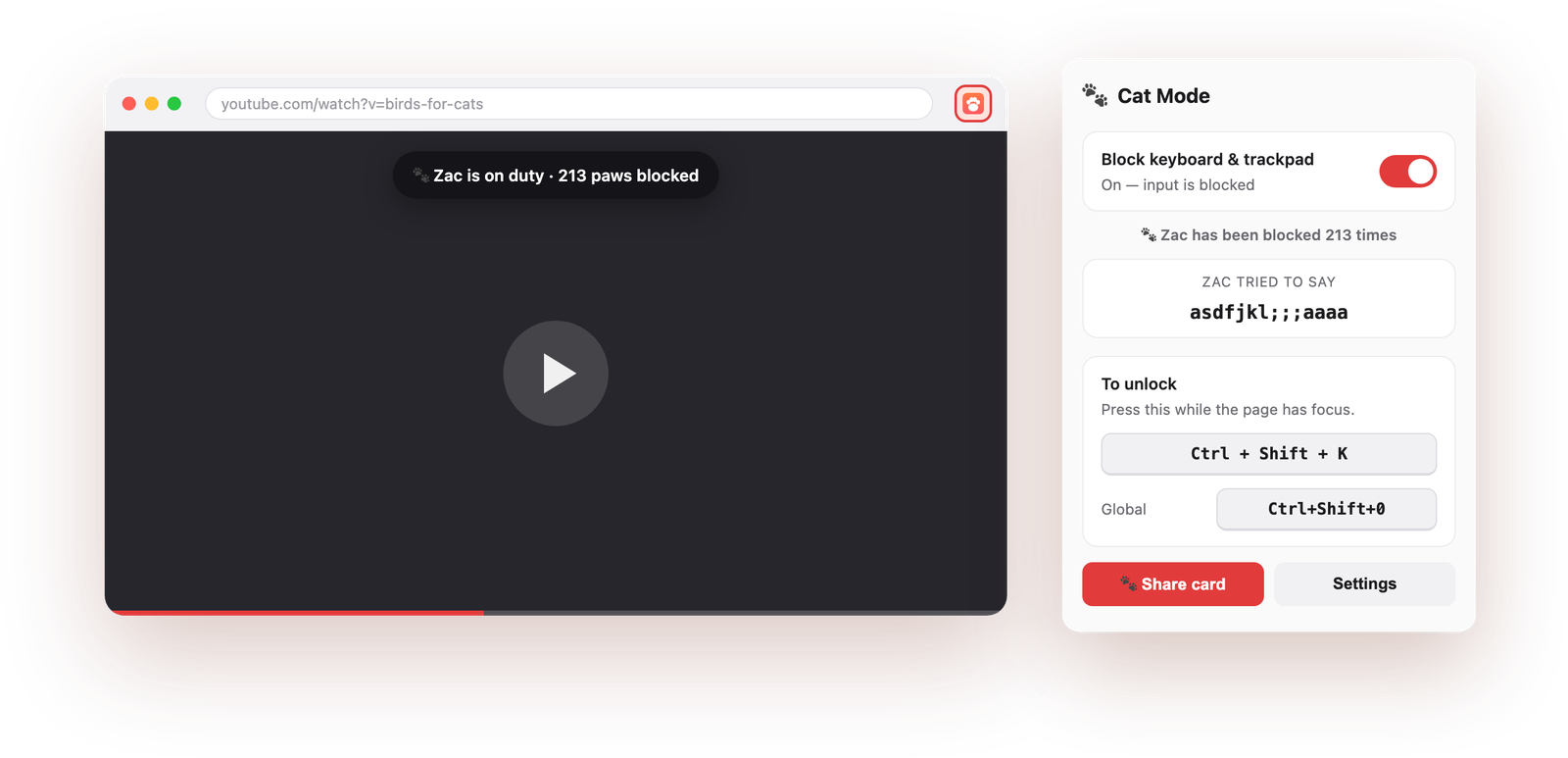
skipped, muted, tab closed. Cat Mode swallows every key, click, tap and scroll
before the page ever sees it. You unlock it with a shortcut only a human would press.
No account No tracking, no servers Works in Chrome, Edge, Brave
What it does
One switch between your cat and everything they could break.
Blocks the whole page
Keyboard, mouse, trackpad, scroll, right-click and touch, all stopped in
the capture phase, before the page or the video player sees them.
Keeps the video playing
If anything else pauses a video or audio while Cat Mode is on, whether a
stray media key or a rogue gesture, it starts it again.
Two ways out, always
Your own unlock combo, plus a browser-wide panic shortcut that works even
while the page is locked. The toolbar toggle never stops working.
A safety timer
Cat Mode switches itself off after 5 minutes to an hour, so you can walk
away and never come back to a page you can't type on.
An optional boop
A short blip each time input gets swallowed, so you can hear it working
from across the room. Off by default.
Nothing leaves your device
No account, no analytics, no network requests of any kind. There is no
server to send anything to.
Paw Report
Find out how much trouble they really are.
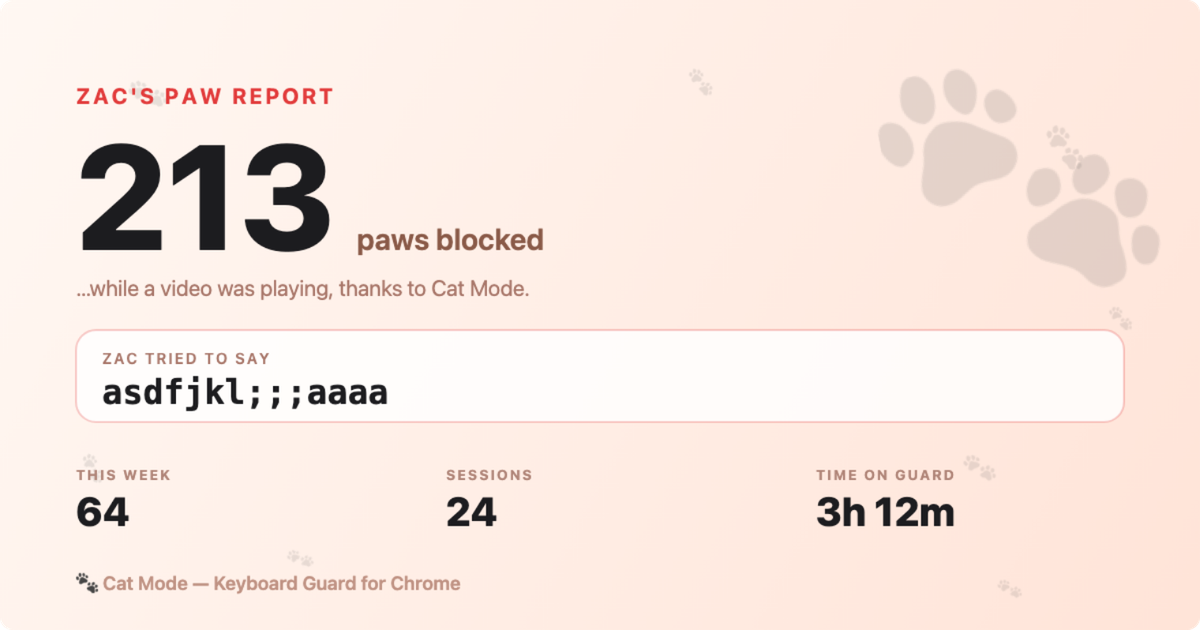
Cat Mode counts every paw it blocks and remembers what your cat walked across.
One click turns that into an image you can post anywhere.
Total paws blocked, plus this week, sessions, and time on guard
What your cat tried to type, the keys Cat Mode already stopped
Rendered on a canvas in your browser; download it or copy it straight to the clipboard
Yours to tune
Set it up once, then forget about it.
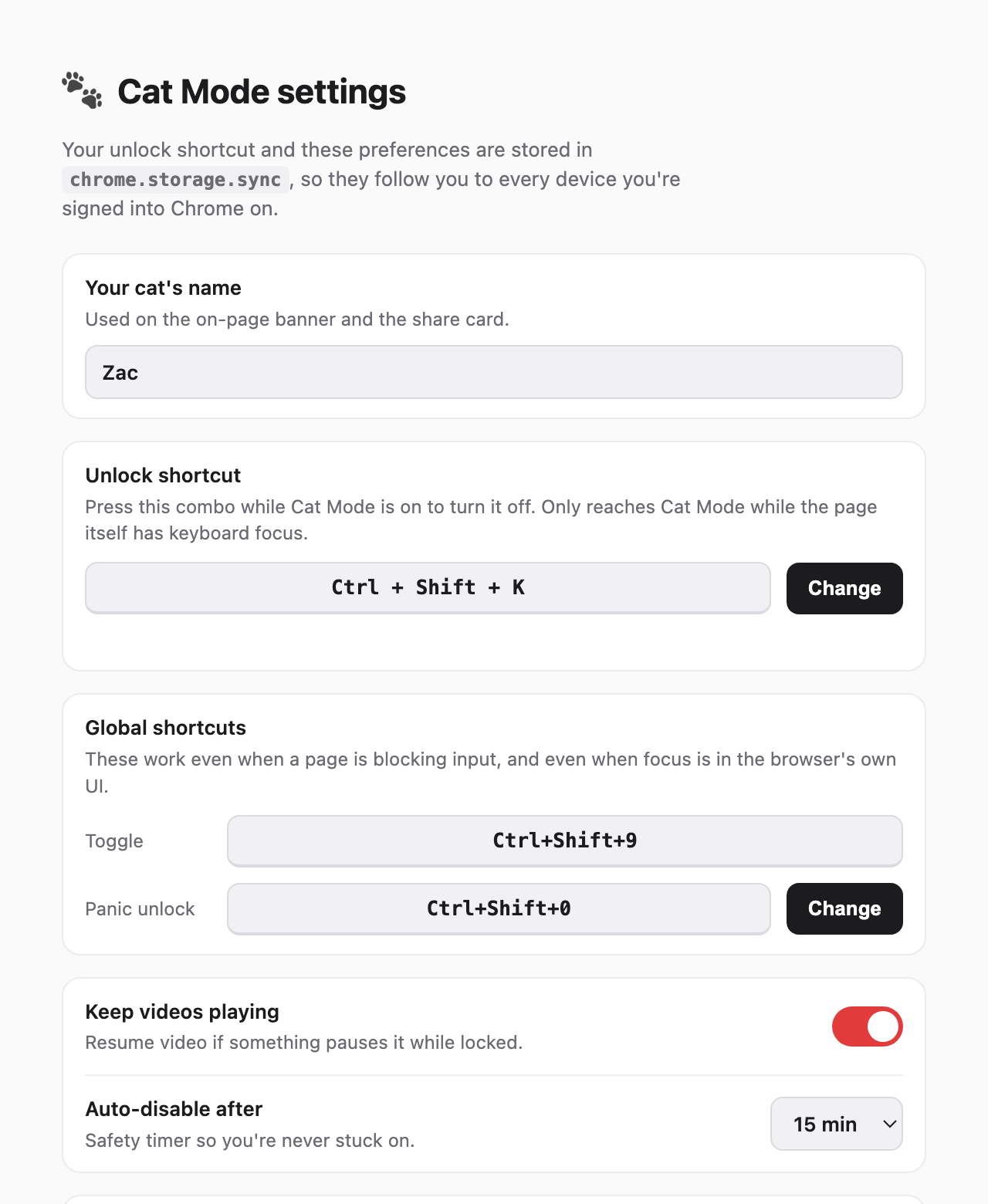
Name your cat, record the unlock combo you want, and pick how long the safety
timer waits. Your settings live in chrome.storage.sync, so they
follow you to every device you're signed into Chrome on.
Any combo you like. Press Change, then press it. Combos Chrome
reserves are rejected rather than silently broken
Name your cat, and it shows up on the on-page banner and the share card
Matched on the physical key, so it works on non-US layouts and with a
Chinese, Japanese or Korean IME active
Right on cue
It speaks up at exactly the right moment.
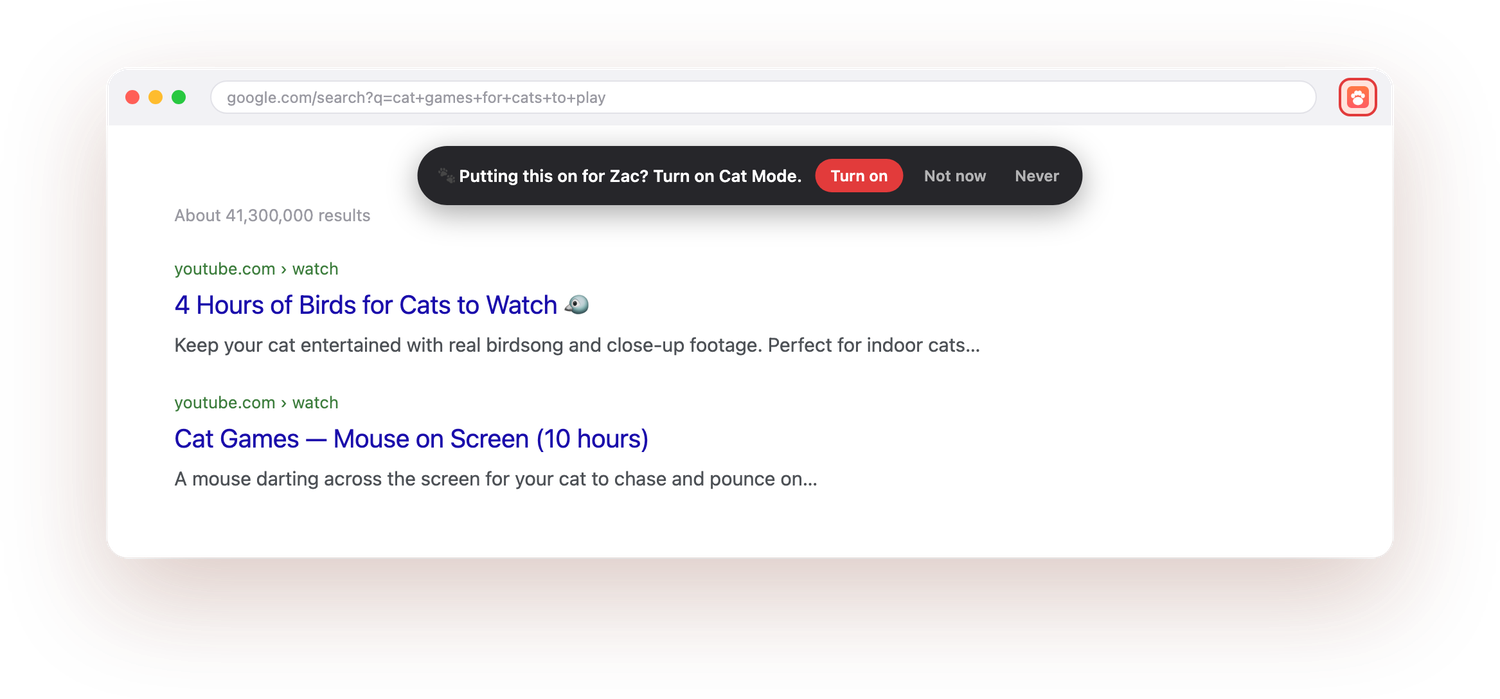
Search for cat games or cat videos and Cat Mode offers to turn itself on,
because that's the moment a paw is about to land on your keyboard. It reads
the search term out of the URL and matches it against a fixed word list
on your device. Nothing is transmitted, and it's built not to
nag: strong matches only, never when Cat Mode is already on, silenced for six
hours by Not now and for good by Never.
Getting out
You are never locked in.
Cat Mode blocks input on purpose, so every route back out is deliberate.
Four of them, and not one depends on any of the others.
Way out
Default
Works when
Unlock shortcut
CtrlShiftK
The page has keyboard focus. Fully customisable.
Panic unlock
Ctrl/⌘Shift0
Anywhere in the browser. Chrome dispatches it above the page.
Toolbar toggle
Click the
icon
Always. The browser's own UI is never blocked.
Safety timer
15 minutes
By itself, if you walk away. Set 5 min to 1 hour, or Never.
Chrome only suggests the browser-wide combos. If one clashes with another
extension it's left unassigned, and no extension is allowed to set its own. If the
popup shows a shortcut as “Not set”, assign it yourself at
chrome://extensions/shortcuts.
Privacy
There is no server. There is nothing to send.
Cat Mode makes no network requests at all. Your settings, your cat's name and the
paw counter are stored by your browser, on your machine. Two features touch page
data, and both are worth saying out loud. They're optional, and they switch off in
Settings.
“Record what your cat typed”
Keeps the last 24 characters of keys Cat Mode had already blocked,
keys that never reached the page. Overwritten every session, stored locally,
never synced. Skipped entirely whenever a text box or password field has focus
(including inside a web component's shadow DOM) and whenever Ctrl, Alt or ⌘ is
held. It can only ever see input Cat Mode already stopped.
“Suggest Cat Mode”
Reads the search-query parameter of the page's URL, plus the title on YouTube
watch pages, to spot a cat-video search. The matching runs on your device
against a fixed word list. No other page content is read, nothing is stored,
nothing is sent.
No, and no Chrome extension can. Extensions may only intercept input
inside web pages. Anything the browser handles itself (Ctrl+W, the
address bar, the tab strip) or anything outside Chrome needs an
operating-system tool.
For the case this is built for, a pet on the keyboard while a video plays in
the tab, page-level blocking covers it.
Is this a keylogger?
No. “Record what your cat typed” can only ever see keystrokes Cat Mode has
already blocked from reaching the page, it stops the moment any text
field has focus, it stops when a modifier is held, it caps at 24 characters,
and it never leaves your device. It's off-switchable in one click. The
extension makes no network requests, so there is nowhere for anything to go.
What if I get stuck with the page locked?
Four independent ways out, listed above: the page shortcut, the browser-wide
panic shortcut, the toolbar toggle, and the automatic safety timer. The
toolbar toggle works even if every other one fails, because Cat Mode never
blocks the browser's own interface.
It says ON but the page still responds.
Content scripts only load into tabs opened after an extension is installed or
updated. Cat Mode backfills already-open tabs on install and update, but if
you hit it, open the popup and click Activate here, or just
reload the tab.
It also never runs on chrome:// pages, the Chrome Web Store, or
the PDF viewer, because Chrome doesn't allow it. Nothing is blocked there, so
nothing needs unlocking.
Does it work on Edge, Brave or Arc?
Yes. It's a standard Manifest V3 extension, so any Chromium-based browser
that can install from the Chrome Web Store will run it. Firefox and Safari
use different extension APIs and aren't supported today.
Only useful for cats?
Rabbits, dogs, toddlers, and anyone else who shouldn't be touching the
keyboard while something is playing. It's also the easiest way to wipe down a
keyboard or screen without setting off half your browser.
Let them pounce.
Free, open source, and nothing about you ever leaves your browser.